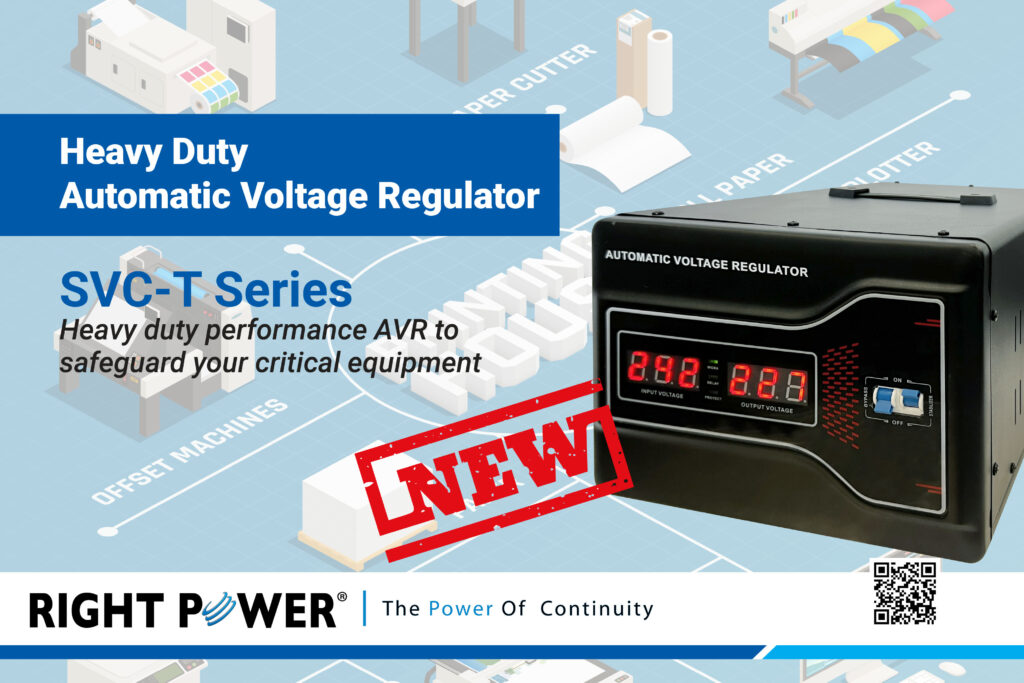
Power problems can damage expensive and cause unexpected downtime. That’s why many businesses and homes use an Automatic Voltage Regulator (AVR) to keep voltage stable. An AVR protects sensitive devices by keeping power levels within a safe range, even during spikes or drops.
Right Power Technology is a leading provider of Automatic Voltage Regulators in Malaysia. They offer reliable and high quality voltage regulation solutions for businesses of all sizes. If you already use an AVR, you’ve made a smart choice. But like any device, an AVR needs regular care to work well over the long term.
In this blog, we’ll share simple but important maintenance tips for your Automatic Voltage Regulator. These tips can help you extend the life of your AVR and avoid costly repairs or failures.
What Does an Automatic Voltage Regulator Do?
Before we talk about maintenance, let’s quickly review how an Automatic Voltage Regulator works. An AVR is a device that controls voltage levels and keeps them steady. It automatically adjusts the input voltage to provide a safe and consistent output.
This is especially helpful in areas where the electricity supply is not stable. Without an AVR, power fluctuations can damage computers, servers, manufacturing machines, or even air conditioners and refrigerators. So having a working AVR can save you from serious damage and money loss.
Why Maintenance Is Important
Even though AVRs are built to last, they can wear out over time. Dust, moisture, heat, or poor ventilation can affect their performance. Without regular checks, small problems can grow into big ones. Maintenance helps to:
- Keep your AVR running smoothly
- Prevent power problems before they happen
- Extend the device’s life
- Save money on repairs and replacements
- Ensure your connected equipment stays safe
1. Place Your AVR in a Clean, Dry Area
One of the most important things you can do is choose the right spot for your AVR. Make sure it’s placed in a dry, well-ventilated, and dust-free environment. Avoid areas near open windows, wet floors, or direct sunlight.
Dust can clog the fan or vents, while moisture can lead to corrosion. Both can shorten the lifespan of the AVR.
Tip:
- Keep the AVR off the ground by placing it on a rack or shelf.
- Use a dust cover if your AVR is in a dusty area.
2. Clean the Unit Regularly
Dust buildup is a common problem for all electronics. It blocks airflow and can cause the unit to overheat. Use a soft brush or vacuum to clean the outside of the AVR. For deeper cleaning, remove the outer casing if the design allows it and gently remove dust from internal components.
Never use water or any liquid cleaners.
Tip:
- Clean your AVR at least once every 2–3 months.
- Always turn off and unplug the unit before cleaning.
3. Check for Loose Connections
Loose or damaged wires can reduce your AVR’s performance or cause it to stop working altogether. Over time, wires and terminals can get loose due to vibration or heat. Inspect all the power cables, input/output terminals, and internal wiring.
Tip:
Do a full visual inspection every 6 months.
If you’re not confident handling wires, call a technician.
4. Monitor Temperature
AVRs produce heat while working, especially during voltage correction. If the unit gets too hot, internal parts can be damaged. Make sure the built-in fan is working and that there’s enough space around the unit for air to flow freely.
Some advanced AVRs have temperature indicators. If yours does, keep an eye on it.
Tip:
- Avoid placing the AVR in a closed cabinet unless it has proper ventilation.
- Use external cooling fans if your AVR handles heavy loads.
5. Test Voltage Output
It’s a good idea to check if your AVR is actually providing stable output. You can do this by using a multimeter or voltage tester. Make sure the output voltage matches the rated value. If the readings are not consistent, it may be a sign of internal issues.
Tip:
- Test the voltage every 3–6 months, especially if you live in an area with unstable electricity.
6. Inspect the Display Panel
Many AVRs come with a display panel or LED lights that show the status of the unit. Check the panel regularly for any error codes, blinking lights, or warning signals. These can help you catch a problem early.
Tip:
- Refer to the AVR’s manual to understand what each light or code means.
- Don’t ignore blinking lights—they often point to a power issue or overload.
7. Watch for Overloads
Connecting too many devices to one AVR can cause an overload. This reduces efficiency and increases the risk of overheating. Always check the maximum load capacity of your AVR and never exceed it.
Tip:
- Use power meters to monitor energy usage.
- Split the load between two AVRs if needed.
8. Schedule Professional Servicing
While basic maintenance can be done by users, it’s important to have a professional technician check the AVR once a year. They can run deeper diagnostics and detect internal problems that are not visible from the outside.
Technicians can also check:
- Capacitor health
- Relay performance
- Internal circuit boards
- Transformer status
Tip:
- Contact a certified AVR service provider like Right Power Technology for professional support.
9. Keep a Maintenance Log
Maintaining a record helps you keep track of cleaning schedules, repairs, voltage checks, and professional inspections. This is especially helpful for companies with multiple AVRs installed in different locations.
Tip:
- Use a simple spreadsheet or notebook to log each maintenance activity and date.
10. Replace Worn-Out Parts
If any part of your AVR looks damaged such as burnt wiring, noisy fans, or swollen capacitors, it’s best to replace it early. Waiting too long may cause complete failure or damage your connected equipment.
Most high-quality AVRs come with replaceable parts that are easy to swap out.
Tip:
- Always use original spare parts from trusted suppliers like Right Power Technology.
When to Replace Your AVR
Even with great care, AVRs won’t last forever. Most units can last 5 to 10 years depending on usage and environment. But if your AVR shows the following signs, it may be time to replace it:
- Constant overheating
- Frequent voltage errors
- Strange noises or smells
- Multiple component failures
- Inconsistent output voltage
Don’t take chances with an unreliable AVR—especially when you have sensitive equipment connected.
Conclusion
Taking care of your Automatic Voltage Regulator doesn’t have to be hard. With regular cleaning, smart monitoring, and professional servicing, you can easily extend its lifespan and ensure steady power supply for years.
If you’re looking for a reliable brand, Right Power Technology is a trusted name in the market. They offer top-quality Automatic Voltage Regulators for homes, offices, factories, and data centers. Whether you’re maintaining an old AVR or planning to buy a new one, Right Power Technology has the solution for your needs.
Find more about: Key Automatic Voltage Regulator Features